
Quick Answer
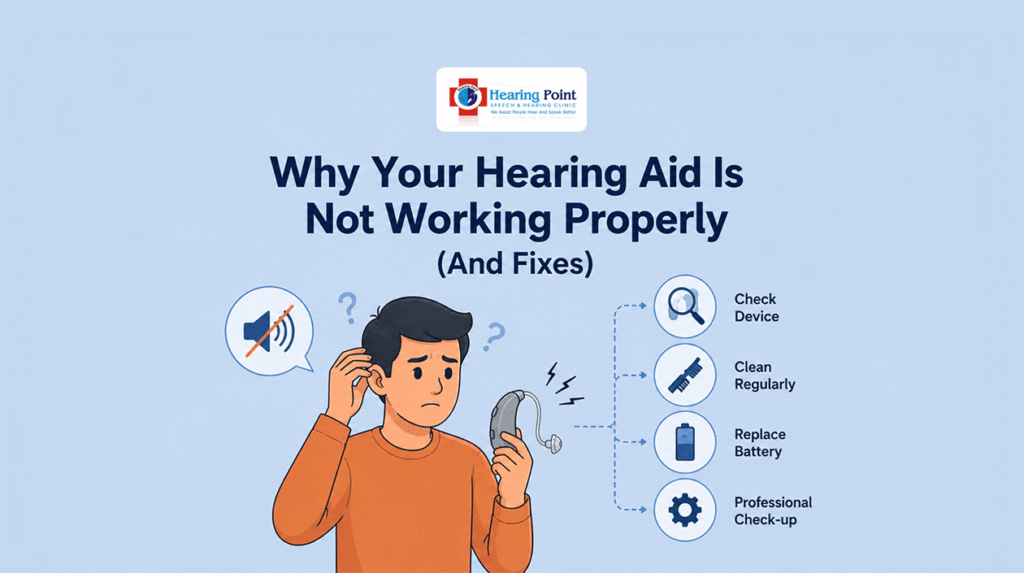
If your hearing aid is not working properly, common causes include a dead battery, blocked microphone, earwax buildup, incorrect settings, moisture damage, or worn-out components. Many issues can be resolved with simple cleaning and maintenance, while others may require professional servicing.
Introduction
Hearing aids are designed to improve communication and quality of life, but like any electronic device, they can occasionally develop problems.
If your hearing aid suddenly stops working, produces weak sound, or becomes uncomfortable to wear, it doesn’t always mean the device is broken.
In many cases, the issue can be identified and fixed quickly. This guide explains the most common hearing aid problems and what you can do to resolve them.
Common Signs Your Hearing Aid Is Not Working Properly
You may notice:
- Weak or distorted sound
- No sound at all
- Whistling or feedback noises
- Sound cutting in and out
- Reduced speech clarity
- Discomfort while wearing the device
Recognizing the symptoms can help identify the underlying cause.
1. Dead or Weak Battery
One of the most common reasons hearing aids stop working is battery-related issues.
Signs:
- No sound
- Intermittent sound
- Low-volume output
How to Fix It:
✔ Replace the battery
✔ Recharge the device fully
✔ Ensure the battery compartment is closed properly
2. Earwax Blocking the Hearing Aid
Earwax can block microphones, receivers, and sound outlets.
Signs:
- Muffled sound
- Reduced volume
- Distorted speech
How to Fix It:
✔ Clean the hearing aid using recommended tools
✔ Replace wax guards if necessary
✔ Schedule professional cleaning if blockage persists
3. Moisture or Water Damage
Moisture is a common cause of hearing aid malfunction.
Signs:
- Crackling sounds
- Intermittent performance
- Complete device failure
How to Fix It:
✔ Remove the battery
✔ Dry the hearing aid thoroughly
✔ Store it in a hearing aid drying container
Avoid exposing hearing aids to excessive humidity whenever possible.
4. Incorrect Settings
Sometimes the device itself is functioning correctly, but the settings have changed.
Signs:
- Sudden volume changes
- Poor sound quality
- Difficulty hearing conversations
How to Fix It:
✔ Check volume settings
✔ Verify listening programs
✔ Restart the hearing aid
5. Blocked Microphone Ports
Microphones capture incoming sounds and can become blocked by dust or debris.
Signs:
- Reduced sound pickup
- Difficulty hearing speech
How to Fix It:
✔ Clean microphone openings carefully
✔ Use manufacturer-approved cleaning tools
6. Receiver or Speaker Issues
The receiver is responsible for delivering sound into the ear.
Signs:
- Weak audio
- No sound despite power being on
How to Fix It:
✔ Inspect for visible blockage
✔ Replace damaged components if recommended
✔ Visit a hearing specialist for servicing
7. Poor Fit or Positioning
Improper placement can affect performance significantly.
Signs:
- Feedback (whistling sounds)
- Discomfort
- Reduced sound quality
How to Fix It:
✔ Reinsert the hearing aid correctly
✔ Ensure earmolds fit properly
✔ Consult your hearing specialist for adjustments
Quick Troubleshooting Checklist
Before seeking repairs, check:
✔ Battery charged or replaced
✔ Hearing aid cleaned
✔ Wax guards inspected
✔ Device settings checked
✔ Hearing aid positioned correctly
✔ Moisture removed
Many common problems can be solved using this simple checklist.
When Should You Visit a Hearing Specialist?
Professional help may be required if:
- Sound remains distorted
- Device stops working completely
- Feedback continues despite adjustments
- Physical damage is visible
A specialist can diagnose issues that cannot be resolved through basic troubleshooting.
How to Prevent Hearing Aid Problems
Follow these maintenance tips:
Daily
- Wipe hearing aids clean
- Remove earwax buildup
- Store properly when not in use
Weekly
- Check microphone ports
- Inspect tubing and receivers
- Replace wax guards if necessary
Regularly
- Schedule professional maintenance
- Update settings when recommended
Proper care helps extend the life of your hearing aid.
Comparison: DIY Fix vs Professional Repair
| Problem | DIY Solution | Professional Help Needed |
| Dead Battery | Yes | No |
| Earwax Blockage | Usually | Sometimes |
| Moisture Damage | Sometimes | Often |
| Setting Changes | Yes | No |
| Physical Damage | No | Yes |
| Receiver Failure | Rarely | Yes |
Conclusion
Most hearing aid problems are caused by simple issues such as batteries, earwax, moisture, or incorrect settings. Regular cleaning and maintenance can prevent many of these problems and improve performance.
If basic troubleshooting does not resolve the issue, consulting a hearing specialist is the best way to ensure your hearing aid continues to function properly.
FAQs
Why is my hearing aid suddenly quiet?
A weak battery, earwax blockage, or microphone obstruction are common causes.
Why does my hearing aid whistle?
Whistling is often caused by improper fit, earwax buildup, or feedback issues.
How often should I clean my hearing aid?
Basic cleaning should be done daily to maintain performance.
Can earwax stop a hearing aid from working?
Yes. Earwax is one of the most common causes of reduced sound quality.
When should I replace my hearing aid?
If repairs become frequent or performance declines significantly, it may be time to consider a replacement.